An AI storybook generator takes one photo of your child and returns an illustrated picture book with that child as the hero. The honest way to judge one is to look inside a real book it made — so this article shows one from our shop: Your Child and the Glowing Flower. Nothing here is a mock-up.
What does an AI storybook generator actually make?#
A real picture book, with your child painted into every picture and their name in the story. On KindFable there are two ways in:
| Route | What you give it | What you get |
|---|---|---|
| Pick a finished story from the shop | Your child's name and one photo | A finished story, painted with your child as the hero |
| Write your own on the create page | Name, age, one photo, a few sentences about your child | A new story built from your note, painted the same way |
Both routes end in the same object: a full-bleed picture book you can read online, hear as a song, and hold as a printed hardcover. The first route is faster and the story is already written; the second is for the day something happened that only your family would recognize.
What is Your Child and the Glowing Flower?#
It is a jungle legend, and one of the finished stories in our shop, written for ages 3–8. A child walks into the Whispering Jungle and finds a flower that glows like the moon — and wants to keep every drop of its light. Then come a lost fawn, a dark path and a proud peacock, and the story's one idea: a light that is shared is a light that grows.
The sample below stars Sofia, who is six. A parent adds their own child's photo and name, and every page is painted with that child instead:
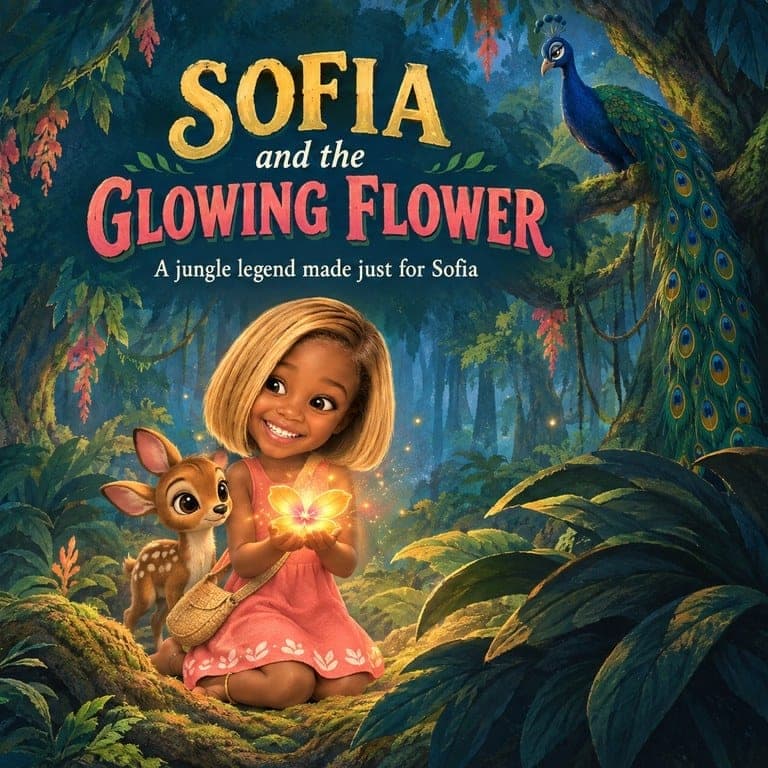

A book from our shop · ages 3–8
Your Child and the Glowing Flower
A jungle legend: your child finds a flower that glows like the moon and wants to keep every drop of its light — until a lost fawn, a dark path and a proud peacock teach that a light that is shared is a light that grows.
Shown here starring Sofia, 6. Yours is painted with your own child’s face and name on every page, from $39 — and you see the pages before you pay.
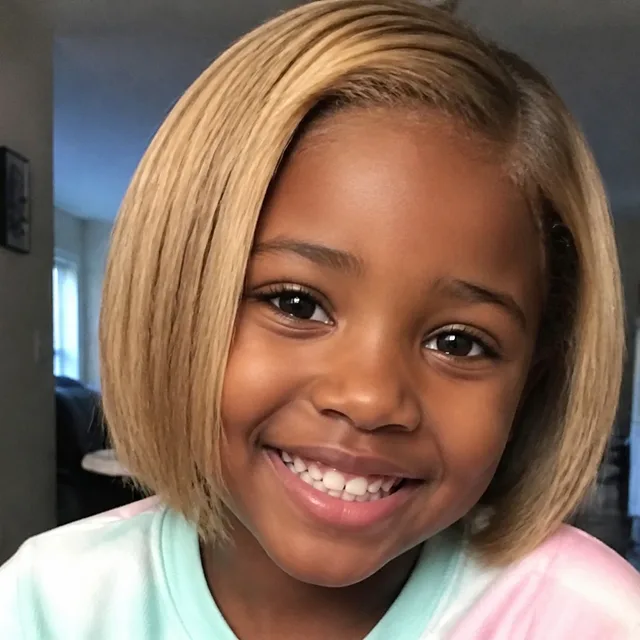
The photo they uploaded
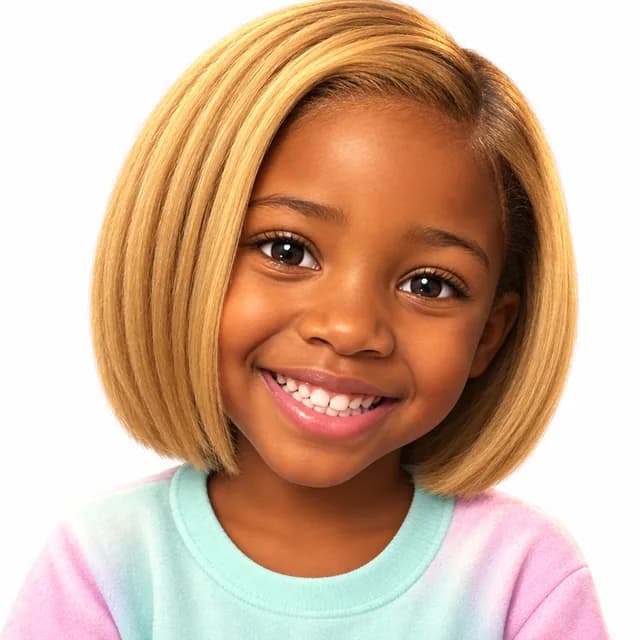
The character we drew
Written from this story — not a stock track with a name dropped in. Free with every book.
How the story begins
- 1Long ago, when the Whispering Jungle was darker than it is today, the animals say a girl named Sofia walked in under the tall trees. This is the story of what she found there — and what she gave away.
- 2Deep among the roots of the oldest tree, something was GLOWING. It was a flower — golden as morning, soft as the moon. “It's the most beautiful thing in the world,” whispered Sofia. “And it's MINE.” She held it close, so that not one drop of light could spill.
- 3Night falls quickly in the jungle. Soon the only light for miles was the one in Sofia's hands. Then, from the dark, came a very small sound. Someone was crying.
The rest of the story is in Your Child and the Glowing Flower.
The words to the song
[Verse 1]
Under the roots of the oldest tree,
A golden flower was waiting for me.
I held it close, I held it tight,
I wanted to keep every drop of light.

[Chorus]
But a light that is shared is a light that grows,
Petal by petal, that's how it goes.
Give it away and you'll find it's true —
The more you give, the more shines in you.

[Verse 2]
One for the fawn who was lost in the night,
One in a hollow, to keep the paths bright.
Who did it help? I'll never know —
But every time, a brighter glow!

[Verse 3]
A proud bird grabbed it and held it fast,
But a light held tight can never last.
So I gave him a petal, I dried his tear,
And a hundred lanterns lit up right here.

[Chorus]
'Cause a light that is shared is a light that grows,
Petal by petal, that's how it goes.
Give it away and you'll find it's true —
The more you give, the more shines in you.

[Outro]
Empty hands and a heart so bright,
Goodnight, jungle. Sofia, goodnight.
Read the opening aloud and you can hear why it works as a bedtime story: "Long ago, when the Whispering Jungle was darker than it is today, the animals say a girl named Sofia walked in under the tall trees." It sounds like a legend already being told about your child. A page later she has found the flower, and she says the most honest thing a small child ever says about something beautiful: "And it's MINE." She holds it close, so that not one drop of light can spill.
That is the craft of a good picture book in two pages. The child is the hero, the child is also a little bit wrong, and the rest of the book is room to change. The product page for Your Child and the Glowing Flower shows the same story and lets you add your own child to it.
Why does a story about sharing land so well at this age?#
Because it is the argument a three-to-eight-year-old is having every day. The American Academy of Pediatrics' HealthyChildren guidance on the preschool years lists "understands 'mine' and 'his/hers'" and "can take turns in games" among the milestones of the preschool years — which means the idea of sharing arrives slowly, and needs a lot of practice.
A story is the safest place to practise it. The child in the book gets to feel mine, hear somebody crying in the dark, and choose — without anybody at the table being told off. When the hero has your child's face, the choice lands closer to home. If sharing is the conversation you want to have, books like The Giving Tree sorts the classic generosity books by the kind of giving they model, and is worth reading beside this one.
Can a generator draw someone who doesn't exist?#
It can, when you write your own story. Developmental psychologist Marjorie Taylor's research found that around 65% of children have an imaginary companion at some point in early childhood — a normal, healthy part of how young children practise friendship.
On the create page, anyone your story mentions — a parent, a pet, an invisible astronaut who lives on the ceiling — is offered as a character. People and pets can come from their own photo; an imaginary friend is painted from one descriptive sentence, and keeps the same look on every page. Up to three companions can stand beside your child.
That is the part photo-template products cannot do: a cast that includes the people who matter and the friends nobody else can see.
How do you get one? Four steps#
1. Pick the book. Browse the shop by occasion, theme or age — or choose to write your own story on the create page instead.
2. Add your child. Their first name and one photo: whole face, straight on, nothing covering it. Tick the consent box. The photo is deleted as soon as your child's character has been painted, and is never stored or shown anywhere.
3. See your child in the book before you pay. Your child appears painted into the book before any card details are asked for. If it is not right, nothing has been spent.
4. Receive it. The book lands in your dashboard, to read tonight. Choose a softcover or hardcover — the prices are on one page — and the printed copy is shipped to your door.
If you write your own story, two extra steps slot in after step 2: type a few sentences about your child (the detail you would tell a friend is the one to include), and choose one of nine art styles — the guide to the nine art styles compares them all.
Does it sing?#
It does. Every book comes with its own song, written from its own story rather than from a template, with your child's name in it — free, with either binding. The song for Your Child and the Glowing Flower plays beside the book above. The hardcover adds a narrated audiobook of the whole story, which is the version that works in the car and on the nights you are not the one reading.
What do you get afterwards?#
- The reader — the page-flip book, on any device.
- The audio studio — the song, plus the narration with a hardcover, with the words on screen.
- Print — softcover or hardcover shipped to your door; every book includes its song, and the hardcover adds the narration.
- Your library — every book you have made, with your child's character ready for the next story, and a reorder button for when the grandparents ask for their own copy.
What does the AI actually do?#
- It paints your child once, from your photo, and keeps that character on every page — and it paints the characters who have no photo at all, from your words.
- It writes the story around your child — a finished shop story told with your child's name, or a new one from your note, at your child's reading age.
- It writes the book a song — your child's name in it, in a song that exists nowhere else.
How do you judge an AI storybook generator?#
Anyone can generate a pretty jungle. If you are comparing tools — the children's book generator guide and the comparison of AI children's book generators go deeper — read each sample to its last page and ask three questions:
- Is it recognizably the same child on every page? Not a similar child; the same one.
- Does the story have one real idea in it? Sharing, bravery, patience — something your child can carry after the book is closed.
- Will you want to read it aloud for the fortieth time? Reading Rockets' guide to dialogic reading explains why the re-reading, and the talking you do around it, is where much of the learning happens. A book only earns that with a story worth repeating.
A generator that only made nice pictures fails the second question. The Glowing Flower passes it in its opening pages, with one small word: mine.
Start with the shop, or the create page if your child has a story of their own — and if they have an invisible friend, put that friend's name in the story box. Before you decide, a personalized storybook walks through what makes one worth keeping, and turning a photo into a children's book explains how the likeness holds from cover to cover.